The best low-profile CPU coolers for small cases and HTPCs
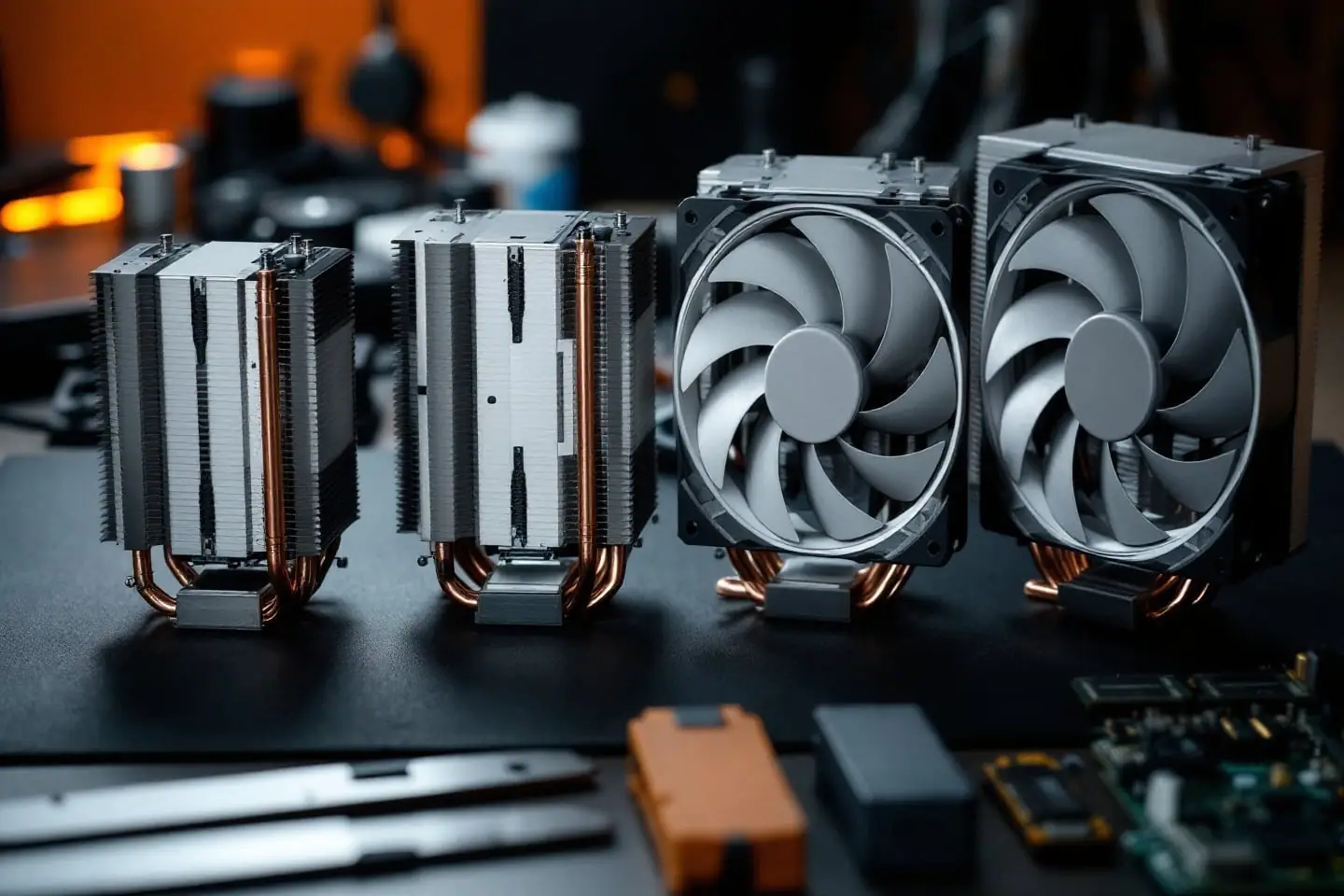
The best low-profile CPU cooler is the tallest one your case will close over, because in this class every extra 10 mm buys fin area and a quieter fan. If your case takes 70 mm, get the Noctua NH-L12S. If the limit is nearer 57 mm and your memory is low-profile, the ID-COOLING IS-55 Black fits a 120 mm fan into less height. For a slim media PC on an older Intel board, LGA 1156 through LGA 1200, the 37 mm Noctua NH-L9i goes where nothing else will. The 65 mm Noctua NH-L9x65 is the choice when memory and PCIe clearance matter more than the last few degrees.
We drew these picks from makers' spec sheets, manuals and published reviews, not from testing of our own. None suits a chip that holds well over 100 W for long.
Four measurements before you pick
Case height, minus a margin
Your case maker publishes a maximum CPU cooler height. Treat it as a ceiling and subtract a few millimeters for a fan cable over the top and the ribs inside the side panel. Cooler heights start at the base, the face that sits on the CPU, so measure from there if the case figure is missing.
A worked example: the case lists 70 mm, minus 3 mm of margin leaves 67 mm. The NH-L12S at 70 mm is now a squeeze, the NH-L9x65 at 65 mm fits with 2 mm to spare, and the IS-55 at 57 mm has 10 mm in hand.
Memory and VRM heatsinks
Footprint is the second collision. Noctua's 95 x 95 mm coolers, the NH-L9i and NH-L9x65, match Intel's socket keep-out zone, the area around the socket that board makers keep free of tall parts, which is why Noctua says the NH-L9x65 clears memory and PCIe slots completely on Intel mini-ITX boards. A 120 mm fan cooler cannot. The IS-55 measures 120 x 120 mm overall and the NH-L12S heatsink 146 x 128 mm, so both reach over the memory slots and toward the VRM heatsinks. Low-profile memory and a flat VRM cooler are fine; tall heat spreaders are not. Check the board manual's layout drawing and the module height on the memory maker's spec page.
Which way the air goes
All four picks are top-down coolers: the fan blows down through the fins toward the board. In a small case that helps, because the same air washes over the VRM (the voltage regulator that feeds the CPU) and the memory, which a tower cooler mostly leaves alone. The catch is that a top-down cooler breathes whatever air sits above it, and in a slim HTPC with one small exhaust that air goes round and round. A vent or intake near the cooler helps both the CPU and the VRM. Noctua says the NH-L12S fan can be fitted blowing upward or downward to match the case's airflow.
Power: where short coolers run out
Low-profile coolers run out on sustained power, not on the TDP printed on the box. TDP (thermal design power) is a heat target at base clock, and modern chips boost past it. Intel lists the Core i5-12400 at 65 W processor base power and 117 W maximum turbo power. HWCooling's review of the LGA 1700 version of the NH-L9i used that chip: with power limits removed it averaged about 93 W in Cinebench R23, and the reviewers also ran it with PL2, the short-term turbo limit, capped at 65 W. That is the usual bargain with a tiny cooler: cap the power in the firmware and accept a little less speed in long renders.
Noctua's own cautions set the ceilings. It calls the NH-L9i unsuitable for overclocking or high heat loads, and its older pages draw the line at 65 W TDP. The info sheets ask for care above 100 W TDP for the NH-L9x65 and above 95 W for the NH-L12S. Put your chip through the cooler TDP headroom check, and see sizing a cooler by TDP for why watt ratings on boxes do not compare across brands.
The picks
Noctua NH-L12S: the top pick if 70 mm fits
The NH-L12S is a 70 mm top-down cooler with four heat pipes and Noctua's NF-A12x15 PWM, a 120 mm fan only 15 mm thick. It ships with the fan under the fin stack, Noctua's low-profile mode, where its site quotes 35 mm of memory clearance. Move the fan on top and the cooler gets taller but clears more: the info sheet allows memory and chipset coolers up to 45 mm, and the manual says that position gives the best performance for the noise.
Noctua lists AM5, AM4, LGA1851, LGA1700, LGA1200 and LGA115x (1150, 1151, 1155, 1156). The heatsink weighs 390 g, 520 g with the fan. The fan tops out at 1850 rpm, or 1400 rpm through the supplied Low-Noise Adaptor, and the heatsink also takes a 25 mm thick 120 mm fan. NT-H1 paste, the SecuFirm2 mounting kit and a six-year warranty come with it.
It suits mini-ITX builds with 65 W class chips where the case allows 70 mm. The trade-offs are size and reach: the wide heatsink overhangs memory and can crowd the rear I/O on small boards, and Tech4Gamers counted RAM clearance among its drawbacks. Noctua rules out overclocking.
ID-COOLING IS-55 Black: a 120 mm fan at 57 mm
The IS-55 Black gets a 120 mm fan into 57 mm. ID-COOLING lists five 6 mm heat pipes, a copper base, black-coated aluminum fins and a 120 x 120 x 15 mm PWM fan running 500 to 2000 rpm, 450 g in all. Sockets: LGA1851, LGA1700, LGA1200, LGA115x, AM5 and AM4.
It suits cases with about 57 to 64 mm of room, where it brings a bigger fan than the NH-L9x65. ID-COOLING rates it at 150 W, a figure with no shared test method behind it, so read it as a ranking inside that maker's range. The trade-offs: no published memory clearance figure, and owners on the SFF Network forum report that it wants low-profile modules. A slim fan has to spin fast, so set a sensible fan curve. Formal lab reviews are also scarcer than for the Noctua models.
Noctua NH-L9x65: no overhang at 65 mm
Noctua describes the NH-L9x65 as its NH-L9 grown to 65 mm, with four heat pipes instead of two. The heatsink is 95 x 95 x 51 mm; with its 92 x 92 x 14 mm NF-A9x14 fan it stands 65 mm, the height of low-profile expansion cards, and weighs 413 g. The fan runs to 2500 rpm, or 1800 rpm with the Low-Noise Adaptor, which Noctua pitches for near-silent setups with chips up to 65 W TDP. Sockets: AM5, AM4, LGA1851, LGA1700, LGA1200 and LGA115x.
It suits Intel mini-ITX builds with tall memory, and machines that travel: the manual says it is light enough to leave on for transport. The trade-off is the 92 mm fan, which needs more speed than a 120 mm one for the same heat. Noctua makes its full-clearance claim for Intel boards; on AMD, check the layout drawing.
Noctua NH-L9i: 37 mm for older Intel boards
The NH-L9i is the slim one: a 23 mm heatsink with two heat pipes under a 92 x 92 x 14 mm NF-A9x14 HS-PWM fan, 37 mm in all, on the same 95 x 95 mm footprint inside Intel's LGA115x keep-out zone. Its socket list is Intel only: LGA1156, LGA1155, LGA1150, LGA1151 and LGA1200. Noctua sells a separate NH-L9i-17xx for LGA1700 and LGA1851.
It suits the slimmest HTPC and office cases on Intel boards from LGA 1156 through LGA 1200 with a 65 W class chip. Say you are rebuilding a small media PC around a 65 W Core i5 on an LGA 1151 board: this fits under a lid barely taller than the RAM. It has the least capacity of the four, and Noctua's manual says to watch CPU temperatures with the Low-Noise Adaptor fitted, since the chip may throttle. It mounts with four screws driven from the back of the board, so the board comes out unless the tray has a cutout.
Side by side
| Cooler | Height with fan | Fan | Heat pipes | Footprint | Sockets (maker list) | Maker's heat guidance |
|---|---|---|---|---|---|---|
| Noctua NH-L9i | 37 mm | 92 x 14 mm | 2 | 95 x 95 mm | LGA1156, 1155, 1150, 1151, 1200 | No high heat loads (older pages: 65 W TDP) |
| ID-COOLING IS-55 Black | 57 mm | 120 x 15 mm | 5 x 6 mm | 120 x 120 mm | LGA1851, 1700, 1200, 115x, AM5, AM4 | Rated 150 W by the maker |
| Noctua NH-L9x65 | 65 mm | 92 x 14 mm | 4 | 95 x 95 mm | LGA1851, 1700, 1200, 115x, AM5, AM4 | Care above 100 W TDP |
| Noctua NH-L12S | 70 mm (fan under fins) | 120 x 15 mm | 4 | 146 x 128 mm | LGA1851, 1700, 1200, 115x, AM5, AM4 | Care above 95 W TDP |
Fitting one in a small case
- Check the maker's compatibility list for your exact board. In most mini-ITX cases the cooler goes on before the board goes in.
- Clean the old paste off the CPU with 99 percent isopropyl alcohol and a lint-free wipe.
- Apply paste the way the manual shows. Every Noctua cooler here comes with Noctua NT-H1. For LGA1851 and LGA1700 Noctua asks for five dots: four of about 2 mm near the corners and one of 3 to 4 mm in the center. For LGA1200 and LGA115x it asks for a single 4 to 5 mm dot in the center.
- Fit the backplate or mounting bars as the manual describes, then lower the heatsink straight down so the paste does not smear.
- Tighten the heatsink screws a little at a time, alternating, until they stop. Noctua's manuals ask for two or three turns per screw before you switch, and on the NH-L12S and NH-L9x65 you reach them through the fan blades with the supplied screwdriver.
- Plug the fan into the CPU fan header, boot, and watch temperatures through a long load before you close the case.
Our repasting walkthrough covers the cleanup and first temperature check in detail, and the anti-static basics explain what a wrist strap actually does.
Questions
Does the NH-L9i fit LGA 1700 or AM5?
No. The original lists LGA1156 through LGA1200 only. For LGA1700 or LGA1851, Noctua makes the NH-L9i-17xx; for AM5, the NH-L9x65, the NH-L12S and the IS-55 all list the socket.
What about LGA 775 boards?
None of these four lists LGA 775. If you are building a quiet box around a 65 W chip such as the Core 2 Quad Q9550S, shop for a cooler whose maker lists LGA 775 by name, and do not rely on a mounting kit from another socket.
Sources and further reading
- Noctua, NH-L12S info sheet, installation manual and product page (height, fan modes, clearance, torque, paste pattern)
- Noctua, NH-L9x65 info sheet and installation manual (footprint, Low-Noise Adaptor, heat caution)
- Noctua, NH-L9i specifications, LGA115x installation manual and TDP guidelines (sockets, height, mounting)
- ID-COOLING, IS-55 Black (dimensions, fan, sockets)
- Intel, Core i5-12400 specifications (base and maximum turbo power)
- HWCooling, Noctua NH-L9i-17xx review, April 2022 (power limits)
- Tech4Gamers, Noctua NH-L12S review, November 2023 (RAM clearance)
- SFF Network forum, IS-55 comparison thread (owner reports)

Corey handles cooling: thermal paste, pads, delidding and liquid metal. He explains where the heat goes in plain numbers and is suspicious of any cooler box that prints a wattage without saying how it was measured.